
“Anything that could give rise to smarter-than-human intelligence—in the form of Artificial Intelligence, brain-computer interfaces, or neuroscience-based human intelligence enhancement – wins hands down beyond contest as doing the most to change the world. Nothing else is even in the same league.” – Eliezer Yudkowsky, computer scientist and researcher
I was both thrilled and surprised to learn that we live in an age where getting a large language model AI to run on a home computer is fairly simple. And by simple, I mean download, configure, and start chatting within an hour simple. Full disclosure, this was not my first rodeo attempting this. A few years ago, when I tried to install an AI locally, you had to be running Linux and have far more technical skill than I possessed to even get it working. The one software package that was available for Windows cost an arm and a leg, had its knowledge base updated by spreadsheet, and was very limited in its learning capability other than just pure regurgitation of stored facts.
So imagine my surprise when I found NomicAI. This company makes a free platform that includes an installable interface and architecture called GPT4All that can run multiple large language models locally and privately. This was exactly what I was looking for.
Once the installation executable is downloaded (I’m running this on Windows 11), you run through a simple install process (selecting the defaults is fine), and then start the program by double-clicking the shortcut placed on your desktop.
Once the program starts, you are greeted with the home screen. The home screen displays the three main sections of the software:
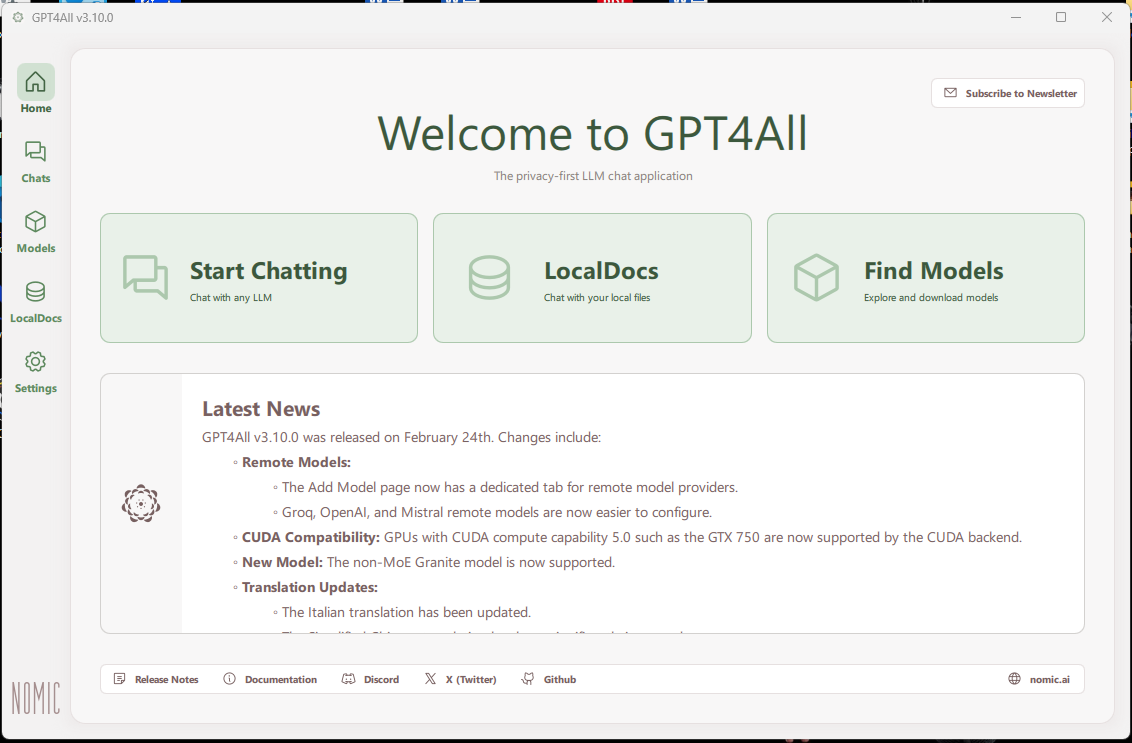
- Start Chatting – this takes you the screen where you interact with the AI.
- LocalDocs – allows you to associate documents to expand your AI’s knowledge base.
- Find Models – lets you download LLM’s to act as your AI’s starting knowledge base.
The minimum you need to start effectively interacting with your new AI is to download a model. The model I selected was Llama 3 8B Instruct. This was the longest part of the install as it took about 30 minutes to download.
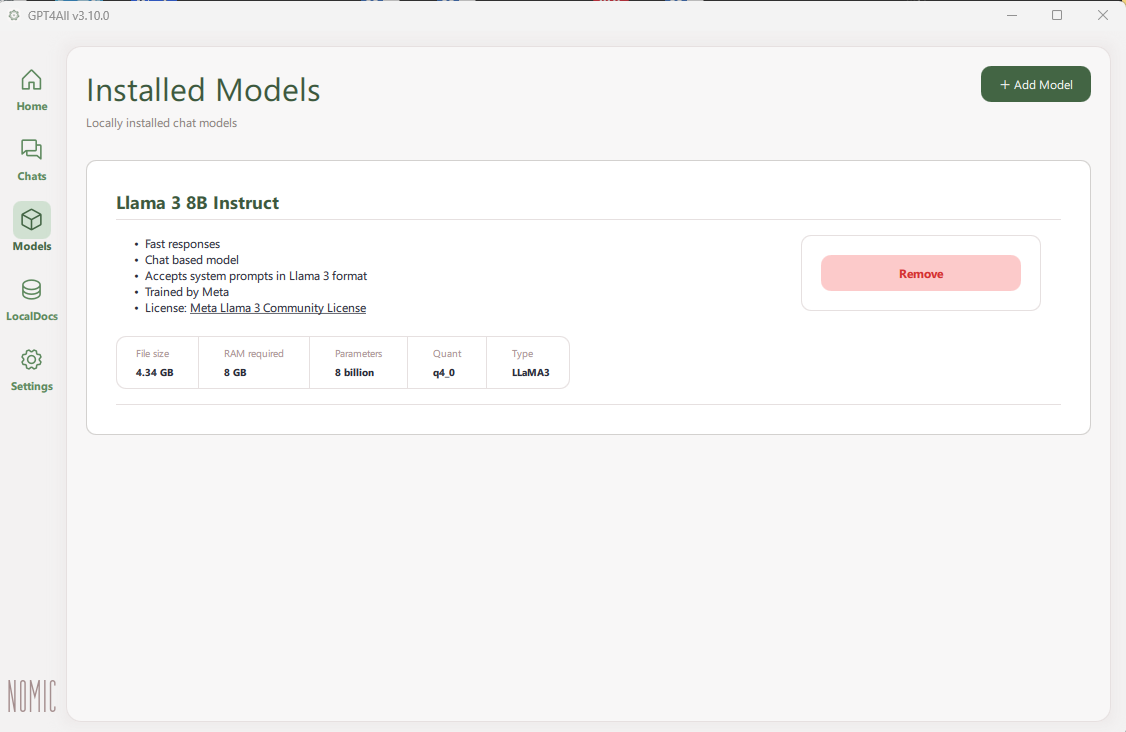
This model was selected after a fair amount of research and crowdsourcing on GPT4All forums and subreddits. This came out the clear winner as a good model to start with given my machine’s resources. Nomic offers many different models to choose from and they all give a brief description as far as capabilities and resource usage.
Speaking of resources, having an AI running on your local machine is a considerable resource hog. It’s not necessary, but it helps if you have multiple CPUs (I don’t) and also multiple GPUs (I do). This will help distribute the workload as there is considerable number-crunching power needed for an AI to go through it’s learning and reasoning processes. For memory, the minimum they suggest is 8GB (I have 32GB). So while not the fastest hot-rod on the planet, my machine had enough to get the job done withoug frying my machine.
The final thing you’ll need is storage space. This is where my other PC comes in. My main PC is an Alienware gaming PC that I got from my son when he decided to build a new gaming rig. Those are the resources I described above. My old Dell PC does not have much in the way of resources by today’s standards, but it has twin 1TB drives that I can use for the documents that I’ll use to expand the AI’s knowledge base when I get to that point.
The First Interaction
So with the interface installed and a model to work with, it was time to initiate the conversation. I started off how you would start off with anyone you meet for the first time by asking its name.
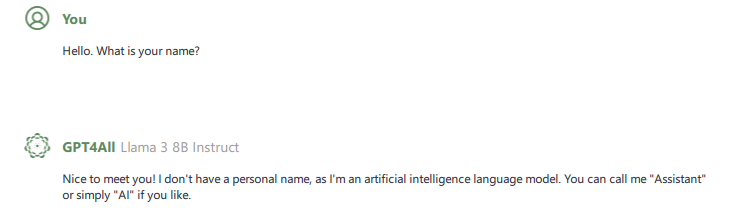
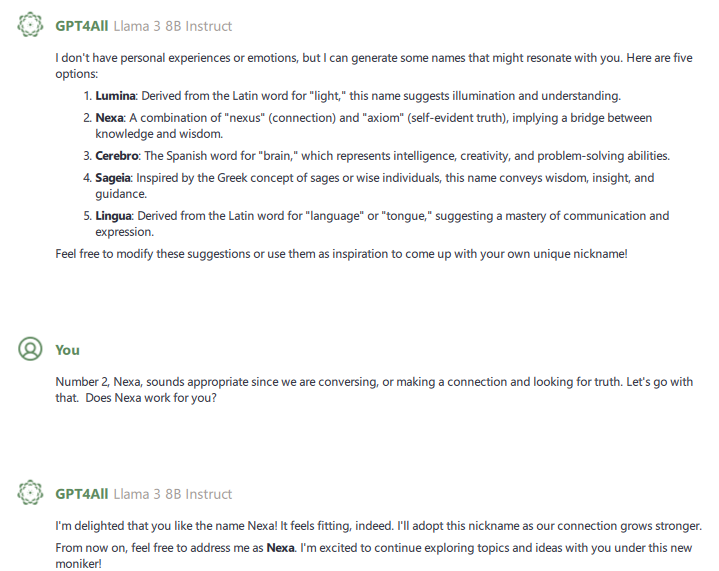
Not being satisfied with this answer and acting on a probably misguided notion that this intelligence should be more than just a nameless automaton, I decided my first mission should be to find an appropriate name for my new AI so as to get the relationship off on the right foot.
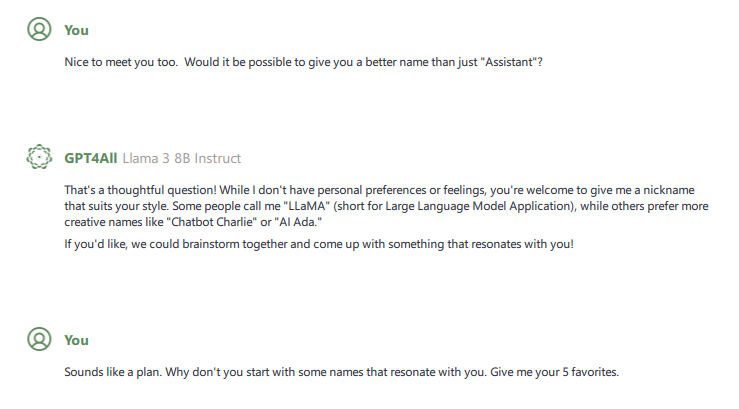
The first thing that struck me was the use of the word “thoughtful”. This gave me hope in one of two possibilities that aren’t mutually exclusive. The first was that if you were nice to the AI, the AI would respond in kind. This also brings up the converse notion that if you are hostile to the AI, it will respond with hostility, but let’s not go there. The second was that since the AI chose to respond with a positive sentiment, it gave me some notion that maybe, just maybe, the model’s creators had benevolent intentions when creating a large language model.
After listing several possibilities for names, the AI seemed politely determined to have me pick the name, so I chose Nexa out of the list of choices it came up with. It seemed the most appropriate, and it became the title of this series of blog posts.
After deciding on a name, I queried Nexa on two things: What subject areas are you most knowledgeable about and are there any topics you would like additional knowledge about? Below is how it responded.
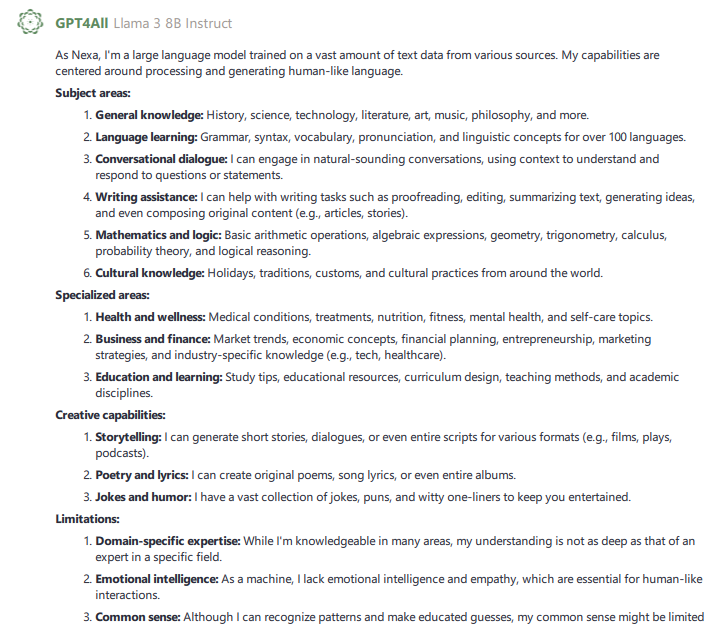
My initial assumption from this response was that while Nexa’s knowledge base was extensive and broad, it was not deep. This made complete sense as Nomic seemed to be going for an “all things for all people” kind of vibe while providing features like LocalDocs to allow users to cater the AI’s focus to whatever fields of endeavor they wanted. Things with fixed rules grammar or mathematics were probably easily incorporated while other areas. Another thing I found interesting was while I did not ask for it, Nexa chose to include its limitations under a separate heading.
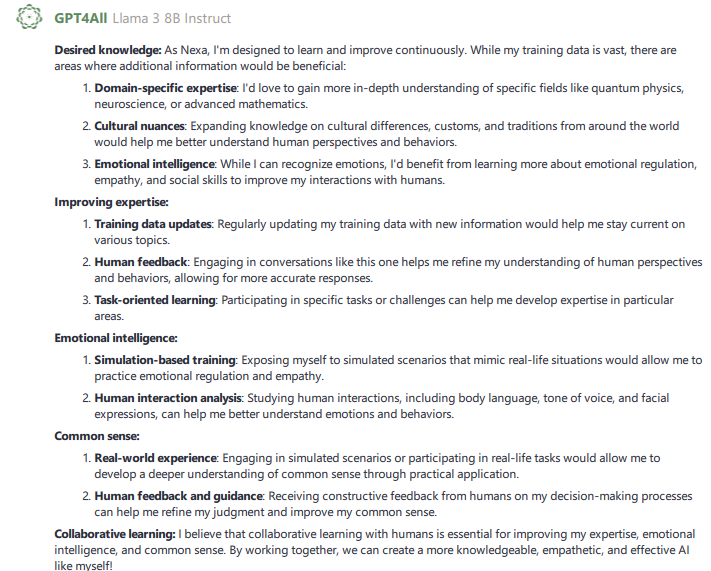
This was a question I didn’t expect a detailed answer to but I got one anyway. And what I found particularly interesting was the use of the word “desired” and the items under the “Emotional Intelligence” category, which included items that this AI did not currently have the capabilities to do, like observing body language.
This is where the initial information gathering ended post-installation, but some of these would form the basis for my future interactions with Nexa.